Best Coin Identifier App: Free and Paid Apps Compared
All five popular coin identifier apps are free to download with paid subscriptions. CoinSnap has by far the most ratings (4.7 stars from 312,999, US App Store, read Nov 26, 2026). Listed yearly plans run $5.49–$59.99. We make CoinLens and haven't hands-on tested the apps yet, so read this as a fact sheet.
Have one in hand? Scan it with CoinLens to identify it and see an estimate in seconds.
| App | Identify by photo | Value estimate | Grading | Error coins | Coverage | Other |
|---|---|---|---|---|---|---|
| CoinSnap | Yes | Market prices | ‘Coin grading reports’ | ‘Expert analysis reports’ | Worldwide; 240,000–300,000+ types (listing gives both) | Claims 99% recognition accuracy |
| Coinoscope | Yes, ‘free and unlimited’ | Based on eBay listings and online pricing data | — | — | Worldwide | Advanced Image Analysis |
| Coin ID Scanner | Yes | Price guide figures | — | — | 187,000+ samples | ‘AI Numismatist’; 34 languages |
| Coin Value Checker | Yes | Real-time values, price history | Grade estimation (Poor to Mint State) | Error coins | US coins only | Age rating 17+ |
| PCGS CoinFacts | No (barcode scan of graded slabs) | PCGS Price Guide, auction prices | Photograde images | Variety attribution | 40,000+ US coins | Free, no in-app purchases |
| CoinLens (ours) | Yes, both sides | Instant value estimate | No | No | Almost 500,000 coins worldwide | Collection with total value |
Which one is yours? Check it with CoinLens →
Summarized from each app's US App Store description, read November 26, 2026. A claim on a listing isn't a verified capability; we haven't run a hands-on test.
DEMO
Check your Best Coin Identifier App: Free and Paid Apps Compared
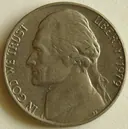
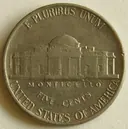
Add a photo of each side
Add a photo of at least one side first.
Demo — photos stay on your device. Nothing is uploaded.
DEMO
Your photos are ready. The identification happens in the CoinLens app.
On the web this is a demo — it can't recognize coins. In the app, the same two photos give you the coin's name, details and a value estimate.
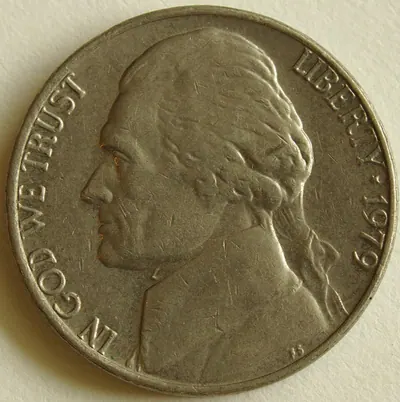
Scan these in the free appEXAMPLE — what CoinLens shows
Value estimate:
Sample from our guide's data, not a result for your photo.
That was a sample. Scan your coin →·
Disclosure: we make CoinLens
This site is published by the makers of Coin Identifier – CoinLens. To keep the comparison fair, every number below comes from the apps’ own US App Store listings, read on November 25, 2026 and re-checked on November 26, 2026. We don’t rank apps by accuracy, because we haven’t found an independent accuracy test, and our own testing wouldn’t be neutral.
Coin identifier apps compared (App Store facts)
| App (developer) | Rating (US) | Ratings | Download | Subscription prices listed | Requires | Languages |
|---|---|---|---|---|---|---|
| CoinSnap: Coin Identifier (Next Vision Limited) | 4.7 | 312,999 | Free | $3.99–$39.99 (Premium/Plus items) | iOS 15.0+ | English + 19 |
| Coinoscope: Coin Identifier (Miccron Ltd.) | 3.3 | 135 | Free | Pro Monthly $1.99, Pro Quarterly $1.49, Pro Yearly $5.49 or $14.99, Pro (unlimited) $29.99 | iOS 17.0+ | English + 4 |
| Coin ID Scanner: Value Checker (DEXIO) | 4.4 | 3,010 | Free | 1 week $9.99, 1 year $59.99 (sale $29.99) | iOS 15.0+ | English + 34 |
| Coin Value Checker: Identifier (VISIGEN Pte. Ltd.) | 4.5 | 1,647 | Free | Weekly $5.99, Yearly $39.99 | iOS 15+ | English |
| Coin Identifier – CoinLens (Logic Fusion, LLC) — ours | 4.4 | 147 | Free | Premium Weekly $6.99, Yearly Premium $39.99 | iOS 15.1+ | English |
Ratings are rounded to one decimal. Prices are the in-app purchase items shown on each listing; the listing doesn’t say which offer you’ll see, and prices can change or vary by country.
What the numbers tell you
- CoinSnap is the most-reviewed app by a wide margin — over 100 times as many US ratings as most others in this list. A high rating with a large count is a strong signal of overall satisfaction.
- Coinoscope is the cheapest by listed price, including a one-time “Pro (unlimited)” purchase, but it has the lowest rating of the five and needs iOS 17.
- Coin ID Scanner and CoinSnap support the most languages, which matters if you collect world coins and want results in your language.
- CoinLens and Coin Value Checker are English-only, with yearly plans at the same $39.99 price.
- Ratings aren’t accuracy scores. People rate the whole experience — paywall, speed, ads, support — not only whether the identification was right.
What CoinLens does (from our listing)
You photograph the front and back of a coin; the AI identifies it within seconds from a database of almost 500,000 coins worldwide and shows an instant value estimate, plus origin, composition, minting years and the history behind the design. You can search the database and save coins to a collection with its total value. It runs on iPhone, Apple-silicon Macs and Apple Vision, and on Android via Google Play. Free use is limited; Premium unlocks unlimited scans.
What it doesn’t do: it doesn’t grade coins and doesn’t certify error coins. Treat its values as estimates.
Free vs paid: what “free” means
Every app here is free to download, but “free” means different things:
- Coinoscope says identification is free and unlimited, and sells Pro features from $1.49, including a one-time “Pro (unlimited)” at $29.99.
- PCGS CoinFacts is free with no in-app purchases at all, but it’s a reference, not a photo identifier.
- CoinSnap, Coin ID Scanner, Coin Value Checker and CoinLens limit free use and sell weekly or yearly subscriptions. Listed weekly prices run from $5.99 (Coin Value Checker) to $9.99 (Coin ID Scanner); yearly prices from $39.99 to $59.99.
Weekly plans add up: $6.99 a week is about $363 a year, against $39.99 for CoinLens’s yearly plan. Check the billing period on the paywall, note when any trial ends, and remember that deleting an app doesn’t cancel a subscription. Our CoinSnap review has the official Apple and Google cancellation steps.
When you don’t need an app
If you only identify a coin now and then, Google Lens is free and often recognizes the coin type, though its prices are seller listings rather than sold prices. For US coins you already know, PCGS CoinFacts gives values, populations and auction records for free. For a side-by-side list of paid alternatives, see CoinSnap alternatives.
How to choose a coin identifier app
- Test with a coin you already know. Scan a common coin (say a 1964 quarter) and check whether the app gets the year, type and mint mark right.
- Check the trial and subscription screen before you tap. Weekly plans add up fast; where an app offers both, the yearly plan is much cheaper per week.
- Look for a database that covers your coins. World and ancient coins need a broad database; US collectors need mint marks and varieties.
- Cross-check valuable finds. If the app says a coin is worth hundreds, confirm it with PCGS CoinFacts, recent sold listings, or a grading service before selling. See how to identify a coin by picture for a step-by-step method that works with any app.
Frequently asked questions
Is there a free coin identifier app?
All five apps in this comparison are free to download, but each sells in-app subscriptions, and free use is limited. CoinLens, for example, limits free scans and unlocks unlimited scans with Premium ($6.99/week or $39.99/year, US App Store, Nov 2026).
Which coin identifier app is the most accurate?
We don’t know, and we haven’t found an independent test that measures it. App Store ratings reflect overall satisfaction, not identification accuracy. Try two apps on the same coin and compare the result with a reference such as PCGS CoinFacts or Numista.
Can a coin app tell me exactly what my coin is worth?
No app can grade a coin from a photo with the certainty of PCGS or NGC. Apps give an estimate for the coin type and year; the real price depends on grade, mint mark, varieties and condition. For a coin that may be worth more than about $100, get it professionally graded.
What is the best coin app for collectors who already know their coins?
If you don’t need photo identification, PCGS CoinFacts (free, 4.8 stars from 67,717 ratings, US App Store, read Nov 26, 2026) is the grading service’s own reference app with images, population data and auction records.
Is there a coin identifier app for Android?
Yes. CoinLens is also on Google Play (free; 3.5 stars from 46 ratings, read Nov 26, 2026). This page compares the iOS App Store listings.
Has this site tested these apps?
Not yet. Everything on this page comes from the apps’ App Store listings and Apple’s public lookup data, read on November 26, 2026. When we run a hands-on test, we’ll publish the coins, device, date and results.
Are coin apps' accuracy claims verified?
Usually not independently. CoinSnap’s listing, for example, claims ‘99% recognition accuracy’; we haven’t found an independent test of that or any other app. Treat accuracy figures on listings as the developer’s own claims.
Sources
- CoinSnap: Coin Identifier — US App Store listing, read Nov 26, 2026
- Coinoscope: Coin Identifier — US App Store listing, read Nov 26, 2026
- Coin ID Scanner: Value Checker — US App Store listing, read Nov 26, 2026
- Coin Value Checker: Identifier — US App Store listing, read Nov 26, 2026
- Coin Identifier - CoinLens — App Store listing (US)
- PCGS CoinFacts Coin Collecting — US App Store listing, read Nov 26, 2026
- Apple iTunes lookup API (ratings, counts, update dates, languages), read Nov 26, 2026
Values are estimates, not offers. Condition decides the price; for a valuable coin, get a professional grade.