Can Google Lens Identify Coins? What It Does and Doesn't Tell You
Google Lens can often recognize a coin's type, because it searches the web for similar images. Google describes it as a way to 'search what you see', and its shopping results show what sellers ask, not what coins sold for. We haven't run a hands-on coin test yet. A 1943 bronze cent shows why details matter: one sold for $298,125 (GreatCollections, Nov 2022).
Have one in hand? Scan it with CoinLens to identify it and see an estimate in seconds.
| Google's description | What it means for a coin |
|---|---|
| ‘Search what you see’: use your camera, an image or a screenshot to search | You can photograph a coin and search with it |
| Results can include AI Overviews, search results for objects in the image, similar images, and websites with the image or a similar one | You’ll see pages showing similar-looking coins, which often reveal the coin type |
| ‘Shop what you see’: look up who makes it, how much it costs, and where to buy it | Prices come from shopping listings, i.e. what sellers ask |
| Shopping results are available in listed countries, including the United States | In the US you may see coins for sale next to your search |
| Copy or translate text in over 100 languages | Useful for reading foreign legends on a coin |
Which one is yours? Check it with CoinLens →
From lens.google and Google Search Help. Google doesn't describe Lens as a coin identification or appraisal tool.
DEMO
Check your Can Google Lens Identify Coins? What It Does and Doesn't Tell You
Add a photo of each side
Add a photo of at least one side first.
Demo — photos stay on your device. Nothing is uploaded.
DEMO
Your photos are ready. The identification happens in the CoinLens app.
On the web this is a demo — it can't recognize coins. In the app, the same two photos give you the coin's name, details and a value estimate.
Scan these in the free appEXAMPLE — what CoinLens shows
Value estimate:
Sample from our guide's data, not a result for your photo.
That was a sample. Scan your coin →·
| Task | Google Lens | Coin identifier app | Catalog (Numista, PCGS CoinFacts) |
|---|---|---|---|
| Cost | Free | Free download, limited free scans, paid plans | Free (basic use) |
| What it searches | The web: similar images and pages | The app’s own coin database | A structured coin catalog |
| Reads the exact year and mint mark | Not designed to; depends on the pages it finds | Depends on the app; check the result | You confirm it by comparing |
| Prices shown | Shopping listings (asking prices) where available | The app’s value estimate | PCGS CoinFacts: price guide and auction records |
| Best use | A free first guess at the coin type | Fast ID plus an estimate and a saved collection | Confirming the exact coin and variety |
Which one is yours? Check it with CoinLens →
Lens behavior from Google's pages; catalog features from each service. We haven't hands-on tested Lens or apps on a coin set yet.
Disclosure
We make Coin Identifier – CoinLens, a coin identifier app, so we have an interest in this question. To stay fair, this page describes Google Lens only from Google’s own pages, read on November 26, 2026. We haven’t run a hands-on test comparing Lens with coin apps on a set of coins yet; when we do, we’ll publish the coins, photos and results.
What Google Lens is
Google describes Lens with a simple line: “Search what you see.” You point your camera at something, or upload an image or screenshot, and Google searches with the picture instead of words. According to Google Search Help, results can include AI Overviews, search results for objects in the image, similar images, and websites with the same or a similar image.
Lens is free. Google says it’s available in the Google app on iPhone and Android, in the Camera app of select Android devices, and in Chrome on desktop. On a computer, you can also upload a photo at google.com using Search by image.
Can it identify a coin?
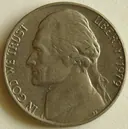
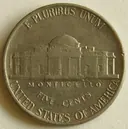
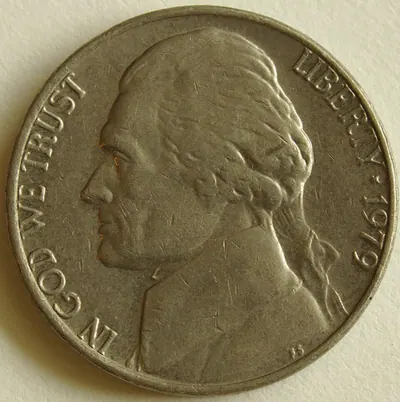
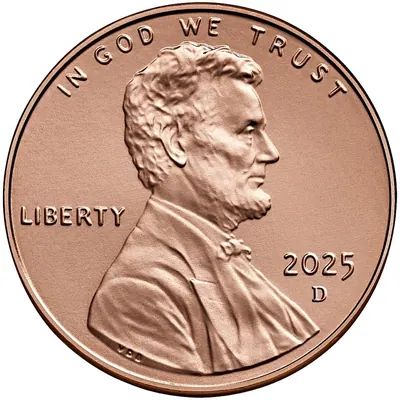
Often it can get you to the coin type. When you photograph a coin, Lens looks for visually similar images on the web, and pages about that coin, such as collector sites, catalog entries and listings, tend to show up. For a common design like a Lincoln cent or a Jefferson nickel, that usually tells you what you’re holding.
What a general image search isn’t built for is the detail that sets value:
- The exact year and mint mark. These are small, often worn, and easy for a similar-image match to ignore. A 1943 cent and a 1944 cent look nearly the same in a photo, yet a 1943 struck in bronze by mistake sold for $298,125.
- Varieties and errors. Doubled dies, off-metal strikes and missing mint marks are defined by tiny differences.
- Condition. A photo match says nothing about grade, which drives price.
Google itself doesn’t present Lens as a coin identification or appraisal tool. It’s a general visual search that happens to work well on many coins.
Why Lens shows asking prices, not sold prices
This is the most common point of confusion. Google lists “Shop what you see” as a Lens feature: look up “who makes it, how much it costs, and where to buy it.” Those shopping results come from sellers. In Google’s Merchant Center rules, the price field is simply the merchant’s product price, the amount the seller is asking. So a coin that appears next to your search at $500 is a listing, not a sale.
Asking prices can be far above what coins actually sell for. A seller may be offering a rare variety or a top-graded coin that only looks like yours, or may simply be asking too much. To value a coin, look at completed sales: sold listings on eBay, auction records such as PCGS CoinFacts or NGC Auction Central, or price trackers that record sold items.
When a coin app or catalog is better
The second table above compares the options. In short:
- Use Lens for a free first guess when you have no idea what a coin is, or to translate a foreign legend.
- Use a catalog (Numista for world coins, PCGS CoinFacts for US coins) to confirm the exact coin, year and variety.
- Use a coin identifier app when you want an identification from a coin database, a value estimate and a saved collection in one place. Apps aren’t perfect either; check anything valuable against sold prices or a grading service.
Tips for better results with Lens
- Photograph one side at a time, straight on, on a plain background, without flash.
- Fill the frame with the coin and tap to focus on the date.
- Add words to your image search, such as “coin” or the denomination; Google lets you add text to refine an image search.
- Search both sides separately; the reverse often shows the denomination or mint mark.
- Ignore the shopping prices for valuation; use sold prices.
For a full method that works with any tool, see how to identify a coin by picture.
About CoinLens
Coin Identifier – CoinLens identifies a coin from photos of both sides, using a database of almost 500,000 coins worldwide, and shows an instant value estimate with origin, composition and minting years. You can save coins to a collection with a total value. It runs on iPhone and Android. Free scans are limited; Premium unlocks unlimited scans. Values are estimates, so confirm valuable coins with a grading service. For how it compares with other apps on their listings, see our CoinSnap alternatives page.
Frequently asked questions
Can Google Lens identify coins?
Often it can identify the coin type, because it finds similar images and pages on the web. Google describes Lens as a general visual search, not a coin catalog, so confirm the exact year, mint mark and variety yourself or in a catalog such as Numista or PCGS CoinFacts.
Can Google Lens tell me what my coin is worth?
Not reliably. Where shopping results appear, they show prices sellers set for items they’re offering; in Google’s merchant rules, the price field is the merchant’s own product price. That’s an asking price, not what coins actually sold for. Check sold listings or auction records instead.
Why does Google Lens show my coin for $500 or more?
Because the results include listings where someone is asking that price, sometimes for a rare variety or a top-graded coin, and sometimes simply an optimistic price. An asking price isn’t a sale. Compare with completed sales of the same coin in the same condition.
Is Google Lens free?
Yes. It’s built into the Google app on iPhone and Android, the Camera app on select Android phones, and Chrome on desktop, according to Google.
Can Google Lens read foreign coin writing?
Lens can copy or translate text in over 100 languages, which helps with legends on foreign coins. Coin lettering is small and raised, so results vary; our foreign coin identifier lists the inscriptions people most often can’t read.
Sources
- Google Lens: Search what you see (features, shopping, translation, availability), read Nov 26, 2026
- Google Search Help: Search with an image on Google (what results can include), read Nov 26, 2026
- Google Merchant Center Help: Product data specification (price = the merchant's product price), read Nov 26, 2026
- Error 1943 copper penny sells for nearly $300,000: PCGS AU50 CAC, GreatCollections, Nov 13 2022 (CoinNews)
- Coin Identifier - CoinLens — App Store listing (US)
Values are estimates, not offers. Condition decides the price; for a valuable coin, get a professional grade.